My favorite keyboards
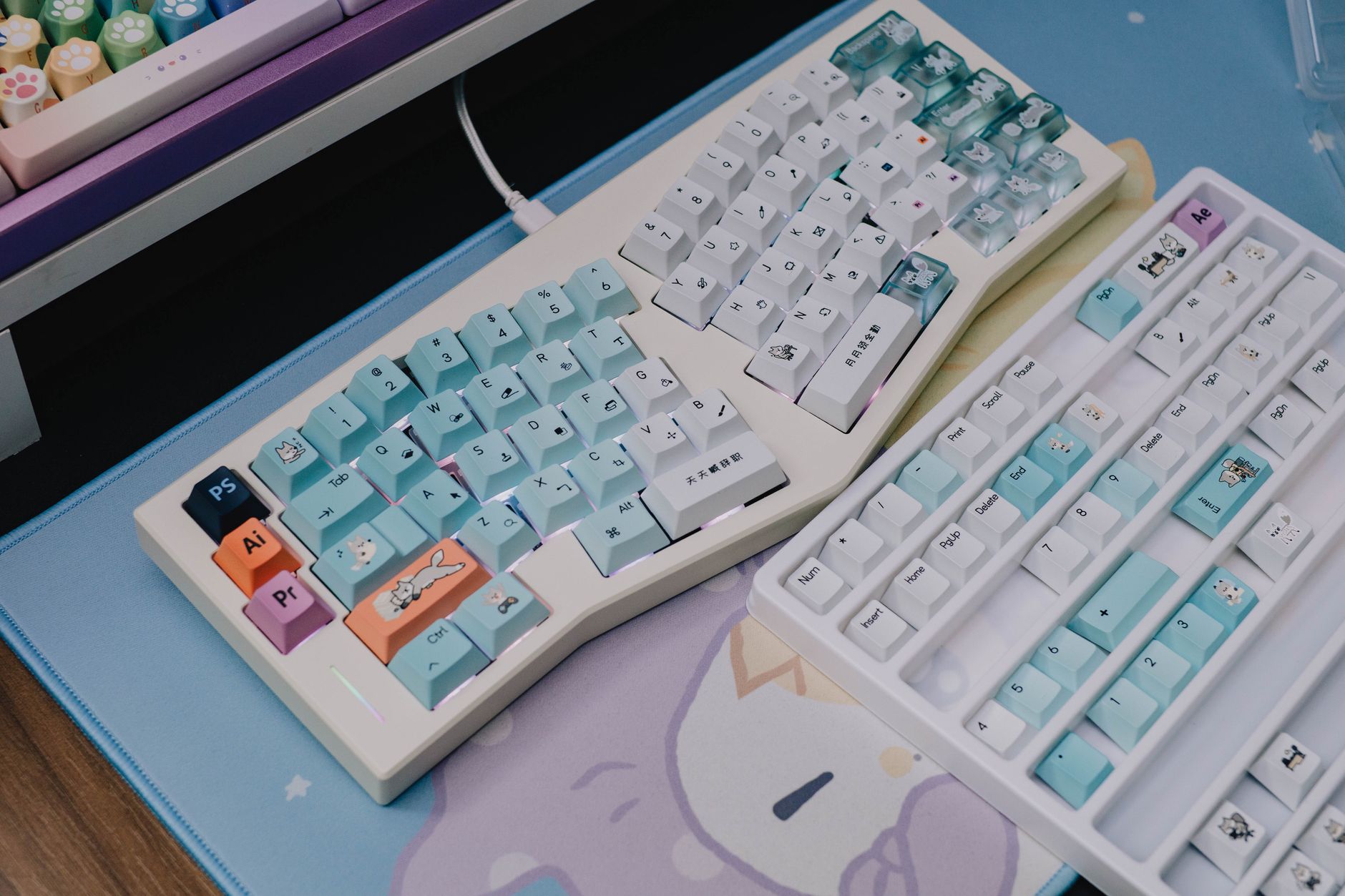
As a finance professional – whether you’re an analyst building complex models, a trader monitoring markets, or an accountant meticulously reviewing data – your keyboard is everything. It’s your primary interface with the tools that drive your work, and arguably, your career. But how much thought do you really give to the tool you interact with for 8+ hours a day?
This article dives deep into the world of keyboards, specifically tailored for the demands of a finance career. We’ll explore why a good keyboard is a vital investment, discuss key features, and showcase some top contenders to help you find the perfect fit. Ignoring keyboard ergonomics isn't just about comfort; it’s about protecting your long-term health and maximizing your earning potential.
Why Your Keyboard Matters (Especially in Finance)
Finance work is, by its very nature, repetitive. Hours spent inputting data, crafting formulas, writing reports, and communicating with clients demand a high degree of precision and speed. A poorly designed keyboard can exacerbate these demands, leading to:
- Reduced Productivity: Slow typing speeds, frequent errors, and discomfort all slow you down. Every second counts when dealing with time-sensitive financial markets.
- Repetitive Strain Injury (RSI): Carpal tunnel syndrome, tendinitis, and other RSI’s are common among office workers, and especially prevalent in roles requiring intense typing. These conditions can be debilitating and severely impact your career.
- Increased Fatigue: A keyboard that requires excessive force or awkward hand positioning will leave you feeling drained and less focused by the end of the day.
- Missed Opportunities: In trading, even a fraction of a second can mean the difference between profit and loss. A responsive, reliable keyboard is critical.
- Lower Job Satisfaction: Physical discomfort and reduced productivity directly impact your overall job satisfaction.
Investing in a quality keyboard isn’t a luxury; it's a strategic investment in your health, productivity, and ultimately, your financial success.
Key Features to Consider for a Finance Keyboard
Before diving into specific recommendations, let’s outline the essential features to look for:
- Keyboard Type:
- Mechanical: Known for their durability, responsiveness, and tactile feedback. Popular switches include Cherry MX Blue (clicky), Cherry MX Brown (tactile, quiet), and Cherry MX Red (linear, quiet). Often preferred by traders for their speed and reliability.
- Membrane: More affordable and generally quieter than mechanical keyboards. However, they often lack the responsiveness and tactile feedback preferred by power users.
- Ergonomic: Designed to promote a natural hand and wrist posture, reducing strain. Can be split, contoured, or vertical.
- Ergonomics: Look for features like wrist rests, adjustable tilt, and split designs.
- Key Travel & Actuation Force: Key travel refers to how far you need to press a key. Actuation force is the amount of pressure required to register a keypress. Lower actuation force can reduce fatigue.
- N-Key Rollover (NKRO) & Anti-Ghosting: These features ensure that every keypress is registered, even when pressing multiple keys simultaneously – crucial for complex shortcuts and fast typing. Essential for trading and data entry.
- Build Quality: A sturdy frame and durable keycaps are essential for longevity, particularly with heavy use.
- Programmability: The ability to customize key mappings and create macros can significantly streamline workflows.
- Backlighting: Useful for working in low-light conditions.
- Connectivity: Wired (USB) offers the most reliable connection, while wireless (Bluetooth) provides greater flexibility.
Top Keyboard Recommendations for Finance Professionals
Here are some keyboards that stand out, categorized by budget and needs:
Budget-Friendly Options (Under $100)
- Logitech K120: https://example.com/ A reliable, basic membrane keyboard perfect for general office use. It's affordable and durable, but lacks advanced features. Image Suggestion: A close-up of the Logitech K120, highlighting its simple design.
- Redragon K552 Kumara RGB: https://example.com/ An entry-level mechanical keyboard offering good value for money. It features Outemu Blue switches (similar to Cherry MX Blue) and customizable RGB backlighting. Image Suggestion: A Redragon K552 with RGB lighting effect shown.
Mid-Range Options ($100 - $250)
- Keychron K2 Pro: A popular wireless mechanical keyboard with a compact 75% layout. Highly customizable and offers a great typing experience. Supports both wired and Bluetooth connectivity. Image Suggestion: Keychron K2 Pro on a desk next to a laptop, showcasing the compact design.
- Corsair K70 RGB MK.2: https://example.com/ A well-built mechanical keyboard with Cherry MX switches and vibrant RGB lighting. Offers excellent performance and customization options. A solid choice for gamers and finance professionals. Image Suggestion: Corsair K70 RGB MK.2 with RGB lighting in a modern office setup.
- Microsoft Sculpt Ergonomic Keyboard: Designed for comfort, this split keyboard promotes a natural hand and wrist position. While membrane-based, its ergonomic design can be a lifesaver for preventing RSI. Image Suggestion: Microsoft Sculpt Ergonomic Keyboard, showing the split and contoured design.
Premium Options ($250+)
- Ergodox EZ: A highly customizable split ergonomic keyboard. Allows for extensive configuration to optimize for individual hand size and typing style. A significant investment, but potentially a game-changer for RSI prevention. Image Suggestion: Ergodox EZ keyboard, showcasing its split and programmable design.
- Herman Miller Embody Keyboard: Designed to pair with the Herman Miller Embody chair, this keyboard prioritizes ergonomics and comfort. While expensive, it offers a premium typing experience. Image Suggestion: Herman Miller Embody Keyboard integrated into a high-end office setup.
- Dygma Raise: Another fully customizable split ergonomic keyboard with a focus on comfort and performance. Features hall-effect switches for increased durability and precision. Image Suggestion: Dygma Raise, angled to show the ergonomic contours.
Table: Keyboard Comparison
| Feature | Logitech K120 | Redragon K552 | Keychron K2 Pro | Corsair K70 MK.2 | Ergodox EZ |
|---|---|---|---|---|---|
| Type | Membrane | Mechanical | Mechanical | Mechanical | Split Mechanical |
| Price | $30-40 | $50-60 | $150-200 | $150-200 | $300+ |
| Ergonomics | Basic | Basic | Basic | Basic | Excellent |
| NKRO/Anti-Ghosting | No | Yes | Yes | Yes | Yes |
| Customization | Limited | RGB Lighting | High | High | Extreme |
| Connectivity | Wired | Wired | Wired/Bluetooth | Wired | Wired |
Beyond the Keyboard: Optimizing Your Workspace
Choosing the right keyboard is just one piece of the puzzle. To truly maximize productivity and minimize strain, consider these additional factors:
- Proper Posture: Maintain good posture while typing, with your back straight, shoulders relaxed, and wrists neutral.
- Chair: Invest in an ergonomic chair that provides adequate support.
- Monitor Height: Position your monitor at eye level to prevent neck strain.
- Regular Breaks: Take frequent breaks to stretch and move around. The Pomodoro Technique (25 minutes of work followed by a 5-minute break) can be helpful.
- Mouse: An ergonomic mouse can also contribute to overall comfort.
By carefully considering your needs and investing in the right equipment, you can create a workspace that supports your productivity, protects your health, and ultimately, helps you thrive in your finance career. Don’t underestimate the power of a good keyboard!
Disclaimer
Please note that this article contains affiliate links. If you purchase a product through one of these links, we may receive a small commission. This helps support our website and allows us to continue providing helpful content. We only recommend products that we believe in and that are relevant to our audience.